Switch accounts as naturally as switching tabs. A Rust and Tauri email client with a focused workspace, flexible account setup, and a distinctly calmer feel.
Windows preview · v0.3.0 · Provider sign-in setup in progress
Y Personal ×W Work+
Inbox⌕ ···
YA
The Yas team Good things start with a little clarity.Welcome to your new everyday.
N
Noor A fresh perspectiveI have a few ideas for the weekend…
S
Studio A little inspiration for your inboxSome things are worth slowing down for.
☀
Make space for what matters.
ILLUSTRATIVE INTERFACE · SAMPLE CONTENT
THOUGHTFUL BY DESIGN
Built to do more. Carry less.
Rust gives us control over how our apps use your device. The details make the difference.
01 / THE FOUNDATION
Rust at the core.
Both apps use Rust for their desktop core. Yas Mail uses Tauri; Yas Browser uses Tao and Wry. Purposeful foundations for everyday tools.
Rust · Native desktop02 / THE BROWSER
Tabs that take a rest.
Yas Browser loads restored tabs on demand and unloads eligible background pages after two minutes. Your saved tab URLs remain ready to reopen.
Lazy restore · Sleeping tabs03 / THE ENGINE
Use what’s already there.
On Windows, both apps use WebView2. Yas Browser’s Rust application runs on Microsoft’s web engine; it doesn’t ship a separately bundled Chromium engine.
Windows WebView2
↗
Real measurements. No magic percentages.
Cross-app RAM and CPU comparisons are being evaluated. We’ll publish repeatable tests before making a percentage claim. Rust alone doesn’t guarantee lower resource use; websites and workloads matter.
ⓘ Early Windows previews. Installers are not publisher-signed and Windows may show a warning. macOS builds are not yet available. Downloads are free and don’t require registration.
UAE ROOTS. A SHARED FUTURE.
Good software grows with good company.
Help shape what Yas becomes. Read the code, report an issue, or contribute your first pull request. Both apps are open source, with room for your ideas.
Product news, beta releases, and the first word on macOS. Choose what you’d like to hear about.
Just your existing email. No new mailbox. No account needed.
A FEW THINGS TO KNOW
Clear from the start.
Are the apps free to download?+
Yes. The current Windows previews are free to download and try. You don’t need to register your email to download them.
Are both apps really built with Rust?+
Yes. Both apps have a Rust desktop core. Yas Mail uses Tauri 2; Yas Browser uses Tao and Wry. On Windows, web rendering is handled by Microsoft Edge WebView2, rather than a new rendering engine written entirely in Rust.
When can I download a macOS version?+
macOS is on the roadmap. Both applications currently have Windows-specific components that need porting and testing. Register above and select macOS to hear when a build is ready. We haven’t announced a release date.
Can I connect Gmail or Microsoft 365 to Yas Mail?+
Publisher configuration and live verification of Gmail, Outlook, and Microsoft 365 sign-in are still in progress. The downloadable preview has a demo workspace and manual account setup. Manual setup depends on your provider’s supported protocols and authentication rules.
How will app updates work?+
We’re preparing signed, versioned releases. Yas Mail’s development source includes Tauri updater integration, but public update feeds and signing configuration are not live yet. Yas Browser needs its updater integration. For now, download the current installer here.
Where is the open-source code?+
The Windows preview source is public: Yas Browser on GitHub and Yas Mail on GitHub. Yas-owned code uses the MIT license; third-party components retain their own licenses. Each repository includes contribution guidance and an issue tracker.


 Yas BrowserPREVIEW
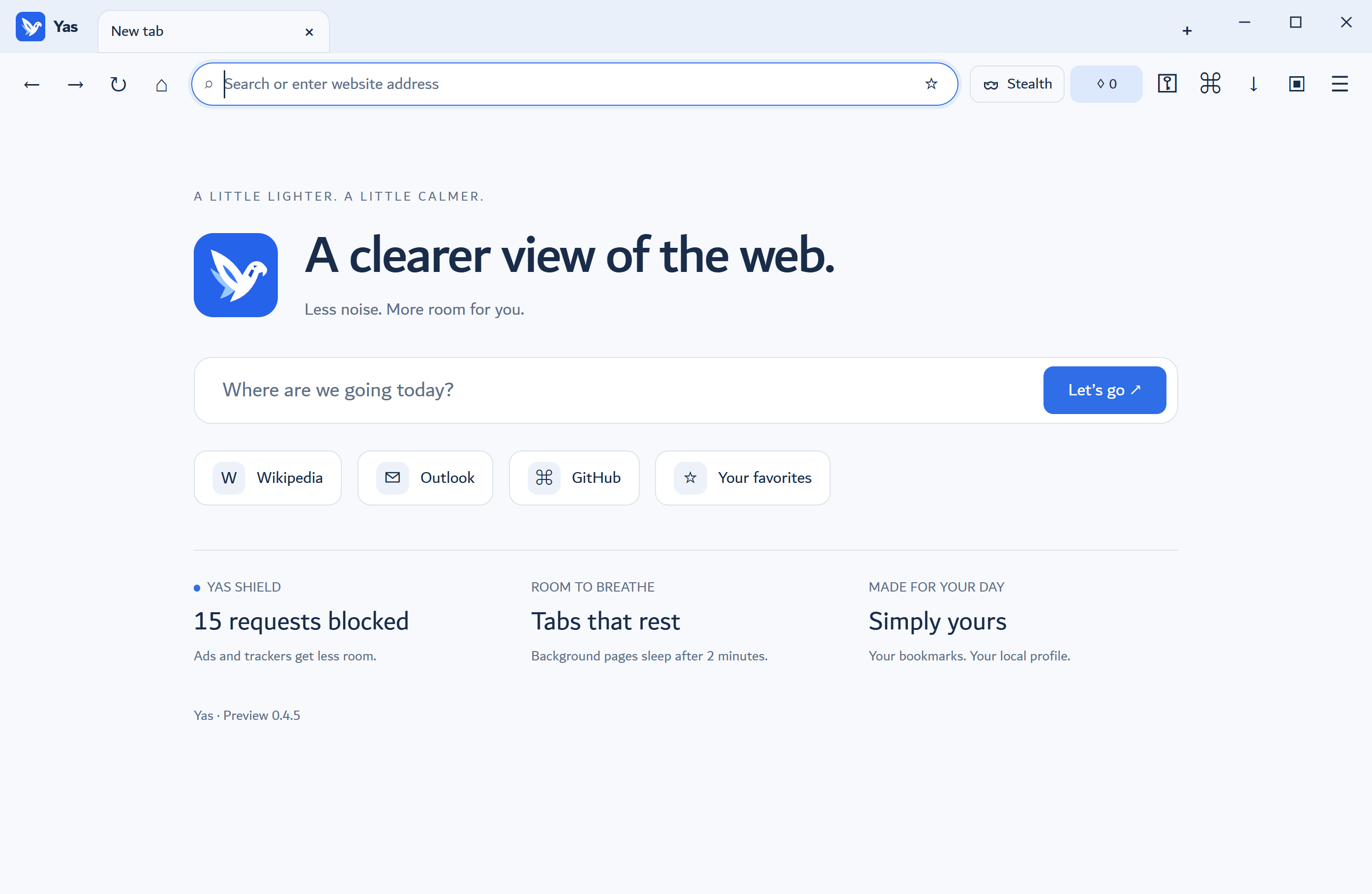 ACTUAL WINDOWS PREVIEW